Early access · Release date: November 5, 2026
UpdatedTruck World: Australia Repair Guide: Service Stations
Truck World: Australia repair starts at a service station. Learn where to go, how to speak to the manager, and what maintenance Early Access lets you do.
Jump to

How to Repair Your Truck
Truck World: Australia repair starts with a visit to a service station, where you park inside and speak to the manager on foot. Finding the building is only part of the job: the service interaction takes you outside the cab. That hands-on process matters because simply arriving at the station doesn’t bring up the repair options.
Follow these steps to reach the service options:
- Find a service station. Open the map to locate the nearest one, or look for the special service-station signs along the road.
- Drive into the station. Bring your truck inside and park it.
- Exit the cab. The interaction continues on foot.
- Talk to the manager. The manager presents the services available for your truck.
Park inside before approaching the manager. The repair sequence uses both the truck’s position and the conversation, so don’t stop at spotting the roadside sign or pulling up outside.
Official page: Truck World: Australia (truckworldstudio.com)
What Maintenance Is Available in Early Access?
The launch Early Access build includes truck servicing, oil and filter changes, and maintenance. Its truck options are limited, with one player-owned truck and a small selection of upgrades.
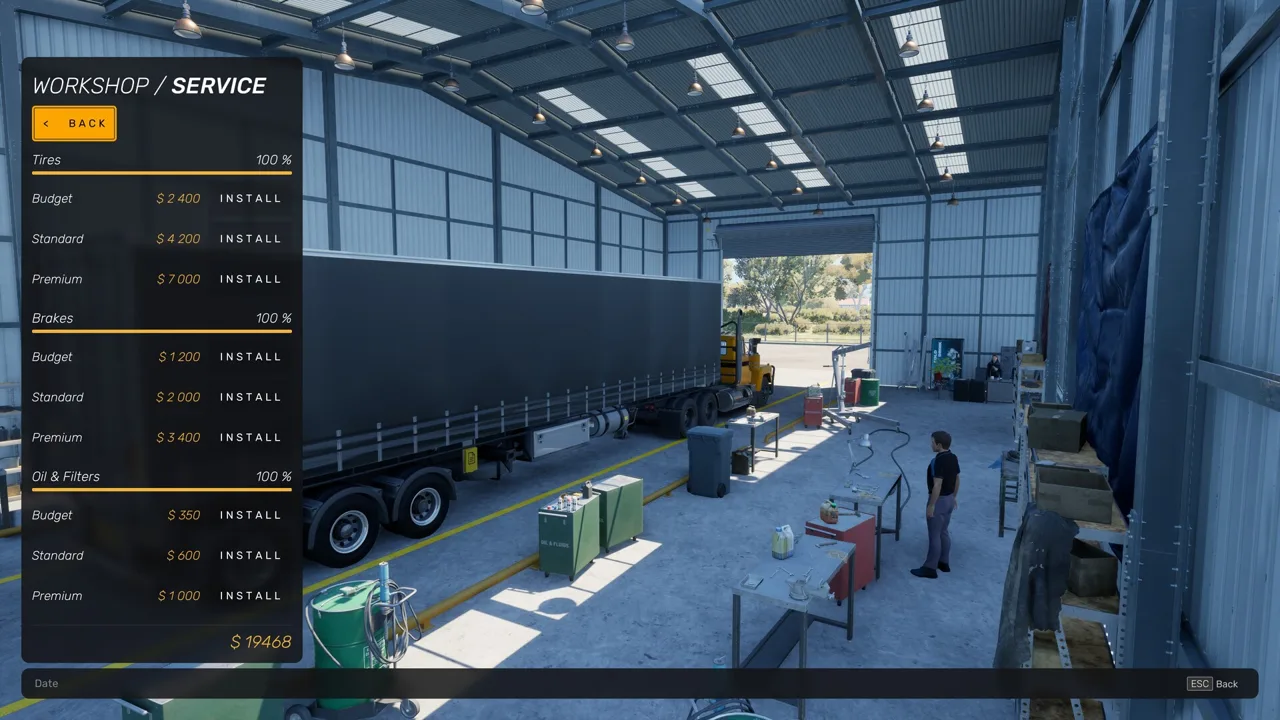 Image: Steam / Truck World Studio
Use the service station for the maintenance options offered in this build. Truck customization was part of the earlier service-station design, but the launch build’s available work centers on servicing. Trailer repair was also part of the broader station plans; the implemented repair interaction described here is for your truck.
Base development is limited, too. The launch build includes the first two base upgrades, while garage and facilities options remain future content. Head to a service station for maintenance rather than planning around a garage at your headquarters.
Repairs, Refueling, and Other Truck Stops
Several roadside activities involve leaving the cab, but each serves a different purpose. Choose your stop around the task you need to complete:
 Image: PlayStation Store
- Truck maintenance: Park inside a service station and speak to its manager.
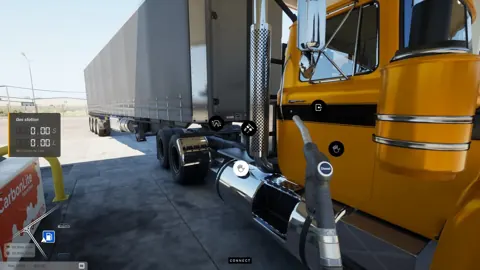
- Refueling: At a gas station, insert the nozzle, fill the truck with diesel, return the nozzle, and pay at the register.
- Cleaning: Use a truck wash to clean a dirty truck.
- Recovering driver energy: Sleep at your base, a roadside truck stop, or a motel.
Trailer connections involve their own hands-on work outside the cab. When picking up a trailer, align the truck’s fifth wheel, connect the air pipes and 24-V supply, and raise the trailer legs. These tasks belong to coupling the trailer, separate from the manager’s service options. Complete the connections during pickup instead of treating the trailer as ready to haul immediately after lining up the truck.
Cargo preparation is another separate interaction. Individual loads on your own flat-top trailer use manual placement: you can move and rotate materials, and the loading screen displays their weight distribution. The arrangement affects how the loaded truck drives. Check that distribution while positioning the cargo, then walk alongside the trailer and tighten every strap. The launch build does not include cargo shifting, but load placement still affects the driving experience.
Keep driver fatigue separate from truck maintenance when planning a delivery. A roadside break provides a small energy boost, while sleeping restores energy fully. If your driver needs rest and your truck needs servicing, plan for both interactions instead of expecting one stop’s service menu to handle everything.
The sleep timer also lets you choose your working hours within the game’s 24-hour day and night cycle. Set your sleep around the time of day you want to drive. Sleeping handles the driver’s energy needs; oil changes and other truck maintenance remain service-station tasks.
You can accept up to three delivery jobs at once. Compare their destination towns before setting out, and group pickups and deliveries along your route. The repeatable contract types cover full trailers and individual cargo loads on your own flat-top trailer, so the preparation outside the cab depends on which kind of delivery you take.
Continue with
 Truck World: Australia Road Train: Early Access GuideTruck World: Australia road train plans explained: learn what's playable in Early Access, what's coming later, and when the Steam release is scheduled.
More in Trucks
Truck World: Australia Customization Guide & Upgrades
Explore Truck World: Australia customization, learn how service stations work, compare paint pack options, and see what Early Access upgrades include.

Truck World: Australia Tow Truck and Assistance Guide
Use the Truck World: Australia tow truck through roadside assistance. Learn how refueling, repairs, and recovery affect your cash and delivery deadlines.
Truck World: Australia Truck List: Early Access Guide
Truck World: Australia truck list covers the single Early Access truck, hands-on hauling, limited upgrades, and plans for two new trucks and road trains.
Join the community
Official channels for news, updates and player help: