Controls
Set up Truck World: Australia controls for keyboard, wheel and gamepad. Learn shifting, clutch setup, engine braking and the cab interactions used on deliveries.
7 articles
Truck World: Australia Controls: Cab and Wheel Guide
Learn Truck World: Australia controls for cab switches, camera changes, manual shifting, trailer hookups, and refueling before you take your next delivery.
Read the full guideGear & Equipment
- Truck World: Australia How to Drive Your First Load
- Truck World: Australia How to Shift Gears: Manual Guide
- Truck World: Australia How to Use Clutch: Setup Guide
- Truck World: Australia Keyboard Controls Guide & Tips
- Truck World: Australia Steering Wheel Setup & Support
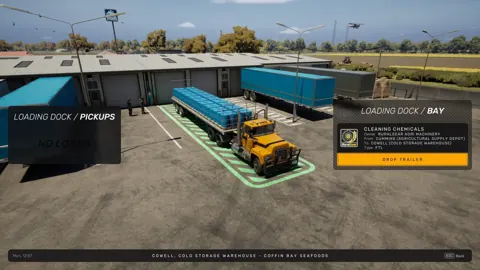
Truck World: Australia How to Drive Your First Load
Truck World: Australia how to drive guide: learn cab controls, trailer hookups, left-hand traffic, and manual refueling before taking your first delivery.

Truck World: Australia How to Shift Gears: Manual Guide
Truck World: Australia how to shift gears explained: set up manual controls, use the 10-gear H-pattern layout, and handle shifting issues in the preview.
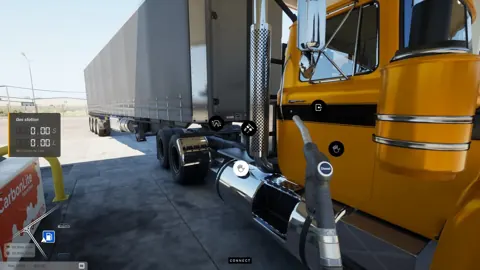
Truck World: Australia How to Use Clutch: Setup Guide
Truck World: Australia how to use clutch guide: set manual gearbox, H-pattern shifting, and manual clutch mode, then check your gear after opening menus.

Truck World: Australia Jake Brake Controls Explained
Learn how to use the Truck World: Australia jake brake through the cab controls, what the G29 X button does, and how the beta's engine brake toggle works.
Truck World: Australia Keyboard Controls Guide & Tips
Learn Truck World: Australia keyboard controls, switch cameras, use dashboard switches, and handle trailer connections before your next delivery contract.

Truck World: Australia Steering Wheel Setup & Support
Truck World: Australia steering wheel guide covering force feedback, 900° rotation, manual shifting, and cab controls. Set up your rig for Early Access.