
Early access · Release date: November 5, 2026
UpdatedTruck World: Australia How to Shift Gears: Manual Guide
Truck World: Australia how to shift gears explained: set up manual controls, use the 10-gear H-pattern layout, and handle shifting issues in the preview.
Jump to

How to Shift Gears With a Manual Setup
Stuck in the cab with a shifter that won’t select the gear you expect? If you searched for “Truck World: Australia how to shift gears,” start by matching the transmission settings to your controls. The pre-release build includes separate options for the gearbox, shifting method, and clutch.
For a steering wheel, H-pattern shifter, and clutch pedal setup, open the gameplay settings and select:
- Manual gearbox for manual transmission control.
- H pattern shifting to select gears with an H-pattern shifter.
- Manual clutch mode to use your clutch pedal.
These settings work together. Selecting a manual gearbox is only part of configuring the clutch-and-shifter setup.
Wheel support includes Moza, Thrustmaster, Logitech, and Fanatec. The pre-release setup also includes a steering rotation setting, with 900° used alongside the manual gearbox, H-pattern shifting, and manual clutch configuration. The seat position and mirrors are adjustable, too. Adjust those before practicing so you can see the road and watch your trailer while learning the transmission controls.
Once configured, use your clutch pedal and H-pattern shifter to operate the transmission. Practice selecting gears before taking a loaded trailer onto the road, especially while getting familiar with the shift toggle.
Automatic transmission is also available. Choose automatic if you want the truck to handle gear changes while you concentrate on steering, trailer placement, and deliveries.
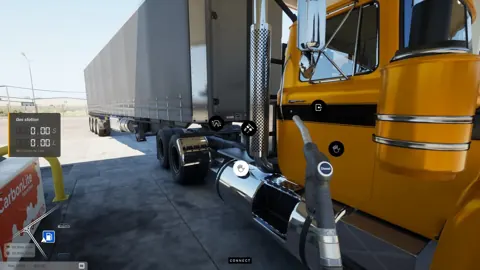
The truck also has a Jake brake, an engine retarder, and a differential lock. These are additional driving systems alongside the transmission. Keep your initial practice focused on selecting gears, then explore those controls separately rather than changing several parts of your driving setup at once.
Official page: Truck World: Australia (truckworldstudio.com)
Using the Shift Toggle With the 10-Gear Setup
The pre-release H-pattern setup has 10 gears and uses a shift toggle to access the upper gears. Moving through the shifter’s physical positions is therefore only part of operating the gearbox.
 Image: www.truckworldstudio.com
Keep the toggle in mind when the selected gear differs from the one you intended. Before pulling away or maneuvering around a trailer, check the selected gear rather than relying only on the lever’s position.
Use the shift-toggle input assigned to your own setup. A button mentioned for someone else’s wheel or button box should not become your default keyboard instruction.
To get comfortable with the controls:
- Practice gear selection while parked before starting a delivery.
- Learn how the shift toggle changes the gears available through your shifter.
- Check the selected gear again before moving from road driving into a tight yard.
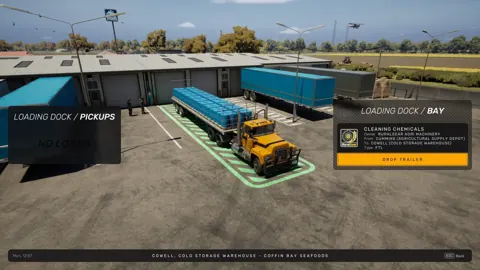
Trailer pickup gives you a practical reason to pay attention to that last check. Manual coupling involves aligning the truck’s fifth wheel with the trailer, connecting the air lines and electrical supply, and raising the trailer legs. Check your selected gear before making the positioning movements needed to line up the truck. Some delivery drop-offs also involve reversing, so leave room to maneuver instead of approaching every destination at road speed.
Fixing Gear Selection After Opening Menus
The pre-release build can drop out of gear after opening and closing an interface menu. If the truck stops responding as expected after checking the map or another screen, check the selected gear before changing your transmission settings.
 Image: PlayStation Store
With an H-pattern shifter, return the lever to neutral and select the intended gear again. Make sure the shift toggle is set appropriately before pulling away.
Loaded driving also feels different from driving without a trailer: cargo weight and its placement affect how the truck handles. Practice your shifting controls without a load, then allow extra room when learning them with freight attached.
On your own flat-top trailer, loading includes placing and rotating individual cargo items. The loading screen displays cargo weight and weight distribution, and the placement affects the truck’s handling on the road. After loading, you can walk alongside the trailer and tighten its straps. Pay attention to that loading screen before setting off: selecting the intended gear and arranging the freight are separate parts of preparing the truck for a delivery.
Continue with
 Truck World: Australia How to Use Clutch: Setup GuideTruck World: Australia how to use clutch guide: set manual gearbox, H-pattern shifting, and manual clutch mode, then check your gear after opening menus.
More in Controls

Truck World: Australia Controls: Cab and Wheel Guide
Learn Truck World: Australia controls for cab switches, camera changes, manual shifting, trailer hookups, and refueling before you take your next delivery.
Truck World: Australia How to Drive Your First Load
Truck World: Australia how to drive guide: learn cab controls, trailer hookups, left-hand traffic, and manual refueling before taking your first delivery.

Truck World: Australia Jake Brake Controls Explained
Learn how to use the Truck World: Australia jake brake through the cab controls, what the G29 X button does, and how the beta's engine brake toggle works.
Truck World: Australia Keyboard Controls Guide & Tips
Learn Truck World: Australia keyboard controls, switch cameras, use dashboard switches, and handle trailer connections before your next delivery contract.
Join the community
Official channels for news, updates and player help: