
Early access · Release date: November 5, 2026
UpdatedTruck World: Australia Steering Wheel Setup & Support
Truck World: Australia steering wheel guide covering force feedback, 900° rotation, manual shifting, and cab controls. Set up your rig for Early Access.
Jump to

Does Truck World: Australia Support Steering Wheels?
Truck World: Australia steering wheel support includes force feedback, manual clutch control, and H-pattern shifting. That matters when you’re hauling a loaded trailer: steering feel and gear selection are a substantial part of the driving experience. The Early Access build supports brands including Moza, Thrustmaster, Logitech, and Fanatec.
On PC, Early Access is available through the Epic Games Store and Microsoft Store. The Steam version has a separate release schedule:
| Steam version detail | Value |
|---|---|
| PC platforms | Windows |
| Release date | 2027 (coming soon) |
| Controller support | Partial Controller Support |
For a wheel setup, focus on steering, pedals, transmission settings, and force feedback. Controller support alone doesn’t describe how those separate parts of your rig work together.
Official page: Truck World: Australia (truckworldstudio.com)
Set Up Rotation, Clutch, and H-Pattern Shifting
The pre-release build includes a configuration using 900° of steering rotation, a manual gearbox, H-pattern shifting, and manual clutch operation. Use that configuration as a starting point if you have a wheel, three pedals, and an H-pattern shifter.
 Image: www.truckworldstudio.com
Set the driving options to:
- Steering rotation: 900°
- Gearbox: Manual
- Shifting: H-pattern
- Clutch mode: Manual
Test steering and clutch operation before accepting a delivery. Make sure you can pull away, stop, and select gears comfortably before adding trailer weight and traffic to the mix.
A splitter option is also available. The pre-release ten-speed configuration uses the shifter’s first five positions for gears one through five, then a shift toggle to access six through ten. Practice switching between those groups before a loaded run so you aren’t searching for the next gear while approaching an intersection.
If you prefer driving without manual shifting, automatic transmission is available too.
Check Your Gear After Using Menus
The pre-release build had an issue where opening the interface could leave the truck out of gear after returning to driving. Check your selected gear after closing a menu before trying to pull away. That extra glance can help you distinguish an interface interruption from a clutch or shifter problem.
Tune Force Feedback Around Road Feel
Force feedback conveys differences between road surfaces, with off-road driving producing a particularly strong response. That makes the transition from pavement to rough ground a useful place to assess how your wheel feels.
 Image: www.truckworldstudio.com
Start with the default force feedback settings, then reduce the strength if rough surfaces make the wheel uncomfortable to control. Test changes on both pavement and uneven ground rather than judging the result while parked.
Keep the distinction between steering feedback and truck handling in mind. Cargo placement affects weight distribution, and a poorly loaded trailer changes how the truck drives. When handling feels different after loading, inspect your cargo arrangement before changing wheel settings.
Use the loading screen’s weight distribution information while positioning freight. Rotate and reposition cargo there instead of expecting a steering adjustment to compensate for an awkward load.
Use Cab Controls Without a Full Button Box
You can operate several truck functions directly inside the cab. The beta build includes interactive controls for:
 Image: PlayStation Store
- Ignition
- Parking brake
- Jake brake or engine brake
- Standard lights
- Hazard lights
These switches are animated, so you can interact with the dashboard instead of assigning every function to a separate physical button. A Logitech G29 setup used its X button to activate the control under the cursor in the beta build; use your configured interaction input for your own setup.
Adjustable mirrors and seat position also help you settle into the cab. Set those before practicing trailer alignment so you can see your approach clearly.
Keep your interaction controls within reach alongside the wheel. Driving is only part of the job: manual refueling involves handling the nozzle and paying inside the station, while trailer coupling includes connecting lines and raising the trailer legs. With individual cargo loads, you also get out to tighten the straps. Plan your controls around those repeated trips outside the truck as well as the miles behind the wheel.
Continue with
 Truck World: Australia Controls: Cab and Wheel GuideLearn Truck World: Australia controls for cab switches, camera changes, manual shifting, trailer hookups, and refueling before you take your next delivery.
More in Controls
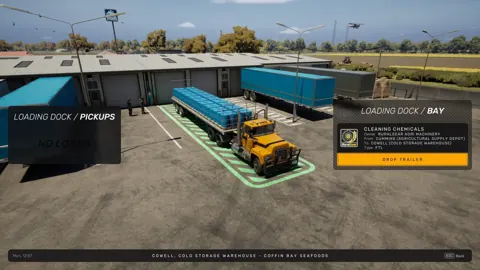
Truck World: Australia How to Drive Your First Load
Truck World: Australia how to drive guide: learn cab controls, trailer hookups, left-hand traffic, and manual refueling before taking your first delivery.
Truck World: Australia How to Shift Gears: Manual Guide
Truck World: Australia how to shift gears explained: set up manual controls, use the 10-gear H-pattern layout, and handle shifting issues in the preview.
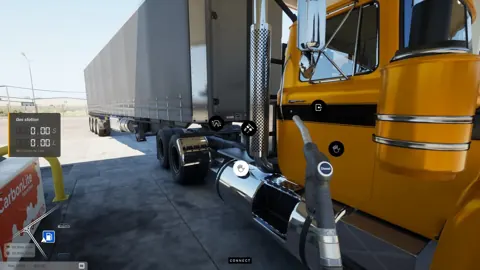
Truck World: Australia How to Use Clutch: Setup Guide
Truck World: Australia how to use clutch guide: set manual gearbox, H-pattern shifting, and manual clutch mode, then check your gear after opening menus.

Truck World: Australia Jake Brake Controls Explained
Learn how to use the Truck World: Australia jake brake through the cab controls, what the G29 X button does, and how the beta's engine brake toggle works.
Join the community
Official channels for news, updates and player help: